

Admissions & learner records
Admissions
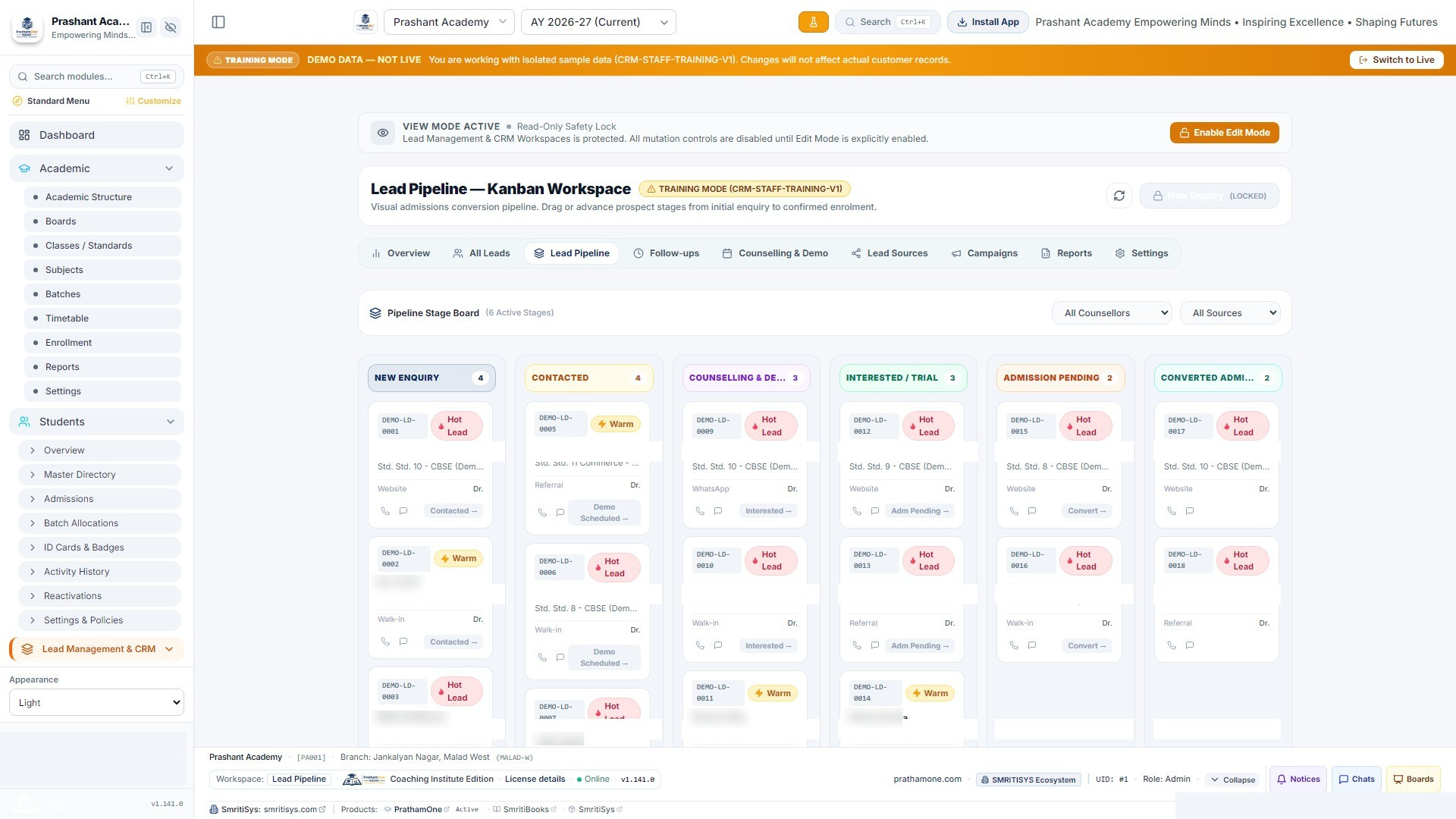
A lead and enquiry workflow for reviewing prospective learners by pipeline stage, follow-up status, and dossier context.
A visible enquiry queue helps admissions teams see where conversations stand and which follow-ups need attention, without promising an automated conversion outcome.
- Admissions counsellors
- Front-desk team
- Admissions lead
Explore the workflow
How Admissions can help your institute.
Review the tasks this workspace supports and decide which ones fit your institute's process.
Typical tasks
- Review enquiries across pipeline stages.
- Switch between recent, follow-up, overdue, converted, and lost views.
- Open a lead dossier to review enquiry context.
Availability & scope
Keep public demonstrations read-only. Do not send messages or convert a lead except in an approved training environment.
The page describes a documented capability area; confirm the target edition, deployment, permissions, and integrations before relying on a particular workflow.
Make it relevant to your institute
See this workflow in context.
Bring your roles and questions to a product walkthrough. Use approved synthetic or demo records.