

Academics & classroom
Timetable
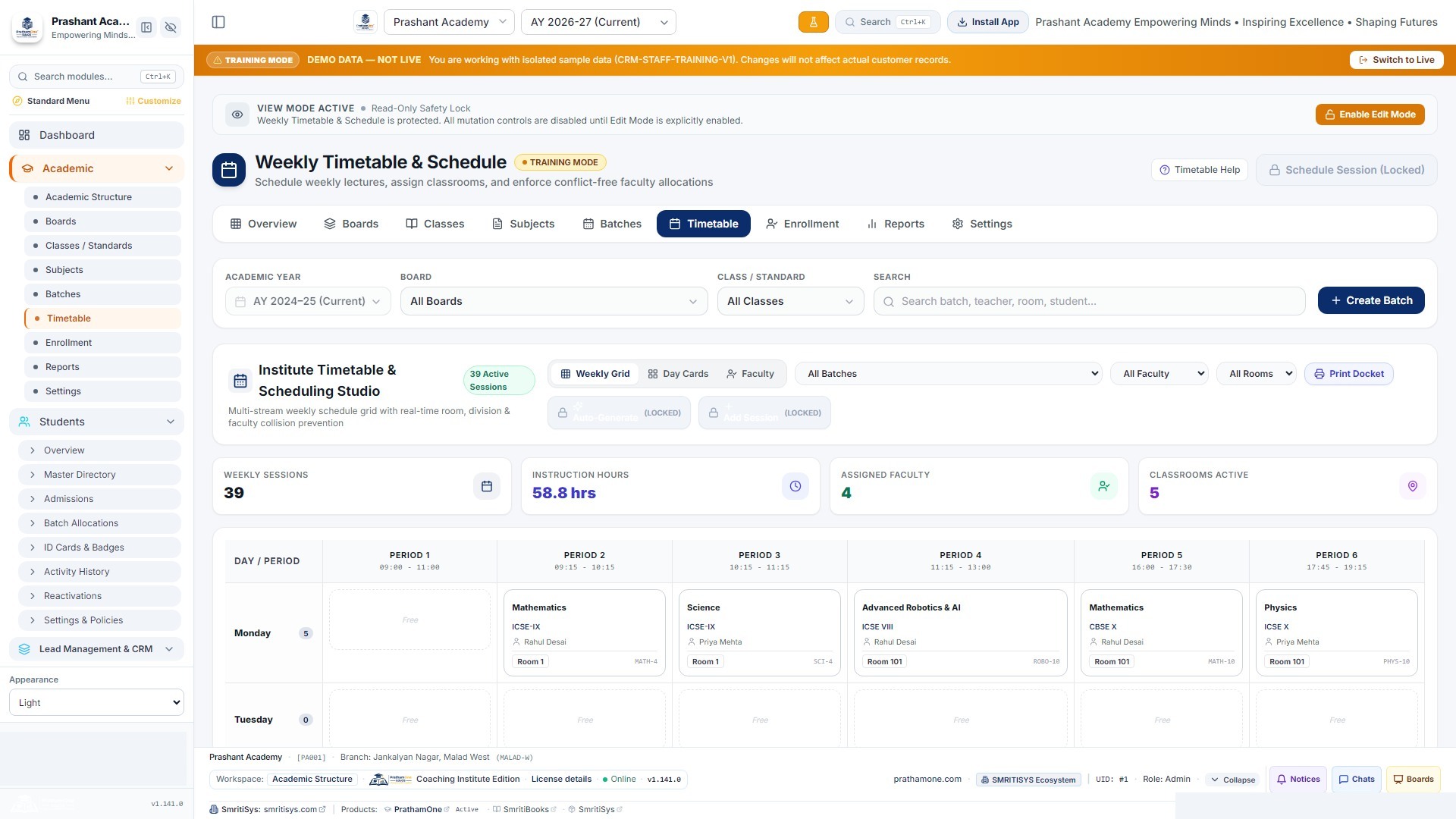
A weekly schedule workspace connected to academic structure, batches, faculty assignments, and timetable settings.
A shared schedule helps coordinators and teachers review the class plan in one place and examine scheduling constraints before publishing.
- Academic coordinator
- Principal
- Teachers
Explore the workflow
How Timetable can help your institute.
Review the tasks this workspace supports and decide which ones fit your institute's process.
Typical tasks
- Review the weekly schedule.
- Check schedule context by batch and faculty.
- Review timetable settings and conflict-policy options.
Availability & scope
Verify local scheduling rules, room availability, and conflict settings before publishing changes.
The page describes a documented capability area; confirm the target edition, deployment, permissions, and integrations before relying on a particular workflow.
Make it relevant to your institute
See this workflow in context.
Bring your roles and questions to a product walkthrough. Use approved synthetic or demo records.