

Fees & financial workflows
Scholarships
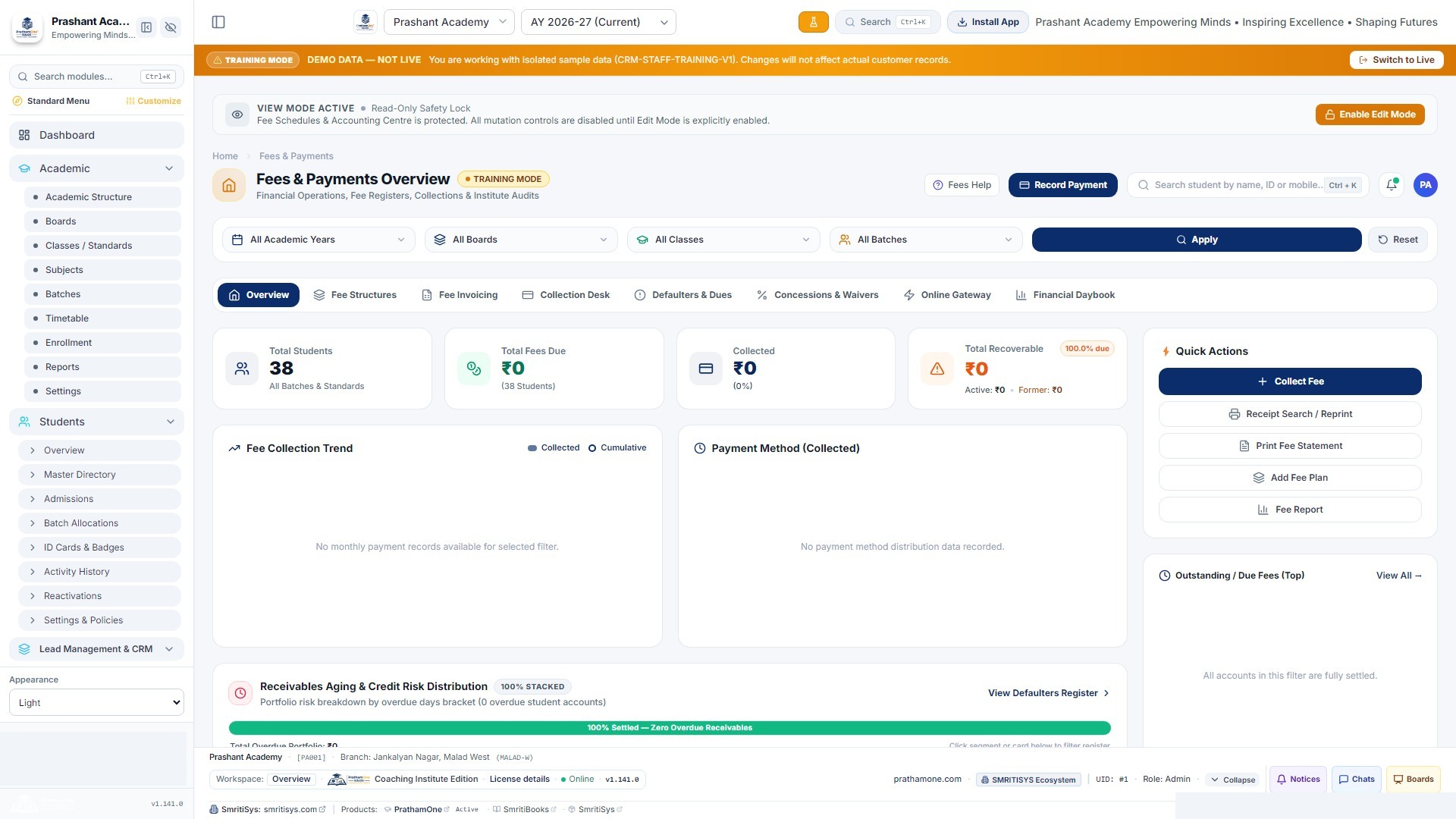
Scholarship awards and waivers appear within the Fees workflow, alongside the related fee-benefit and payable context.
Keeping a scholarship benefit with the fee view helps authorized teams review the award and remaining payable amount together.
- Principal
- Scholarship coordinator
- Fee administrator
Explore the workflow
How Scholarships can help your institute.
Review the tasks this workspace supports and decide which ones fit your institute's process.
Typical tasks
- Review configured scholarship schemes.
- Inspect scholarship benefits in the fee context.
- Review the resulting fee breakdown without changing an award.
Availability & scope
Scholarships are represented within Fees, not as a separate top-level workspace. Confirm institute policy and configured catalogues; do not imply automated eligibility or external sponsorship.
The page describes a documented capability area; confirm the target edition, deployment, permissions, and integrations before relying on a particular workflow.
Make it relevant to your institute
See this workflow in context.
Bring your roles and questions to a product walkthrough. Use approved synthetic or demo records.