

Fees & financial workflows
Fees
Fee structures and schedules, invoices, a collection desk, overdue tracking, payment views, and financial daybook reports.
A common fee workflow helps staff review what was assessed, what was recorded as received, and what remains due.
- Accountant
- Fee desk
- Principal and authorized finance administrator
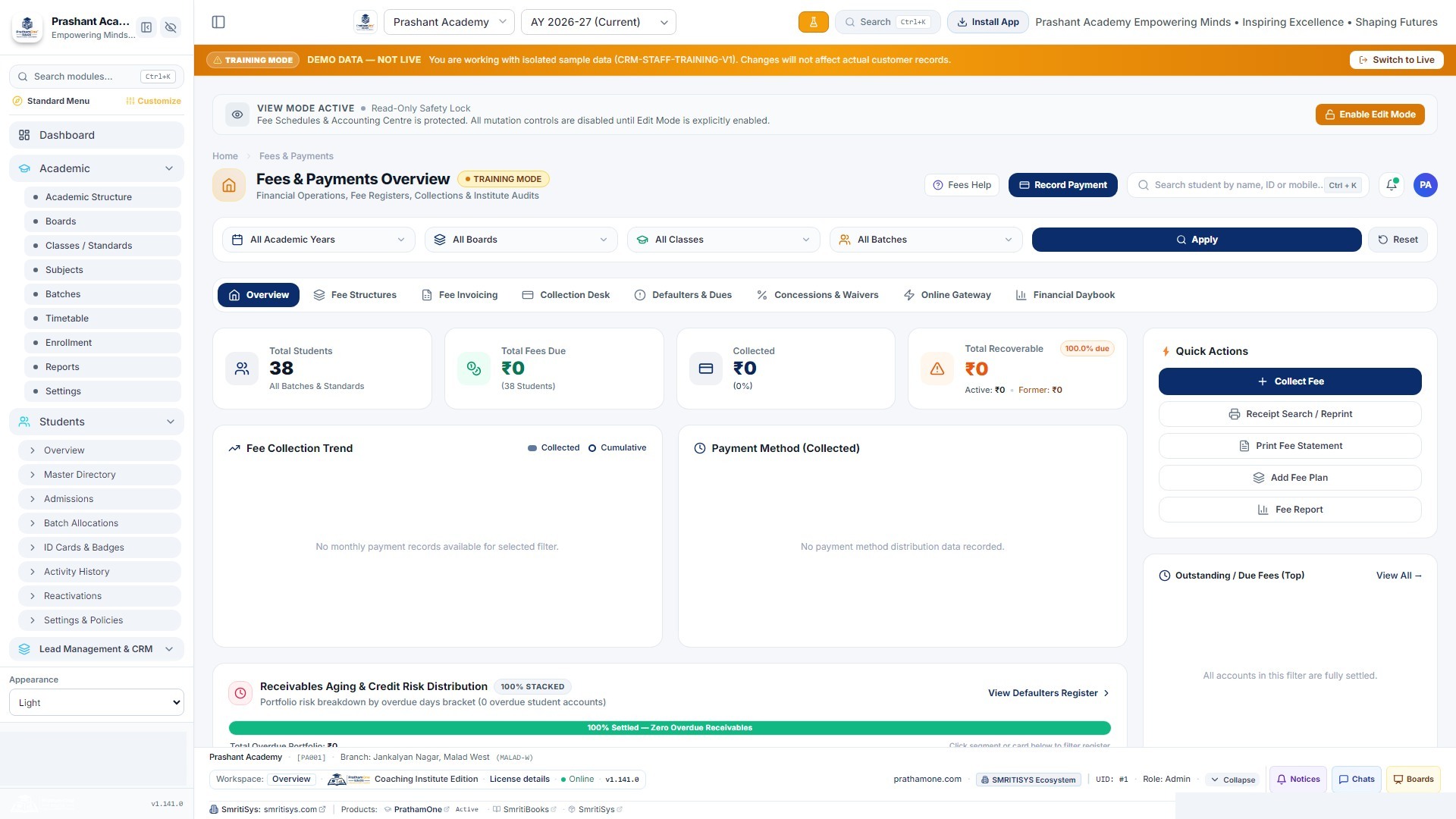
Explore the workflow
How Fees can help your institute.
Review the tasks this workspace supports and decide which ones fit your institute's process.
Typical tasks
- Review fee structures, schedules, and invoices.
- Use the collection desk and overdue views.
- Review payment context and daybook reports.
Availability & scope
Never collect, refund, edit, or issue financial records during a read-only showcase. Payment-provider connectivity must be confirmed separately.
The page describes a documented capability area; confirm the target edition, deployment, permissions, and integrations before relying on a particular workflow.
Make it relevant to your institute
See this workflow in context.
Bring your roles and questions to a product walkthrough. Use approved synthetic or demo records.