

Institute operations & data
Training
A training and simulation workspace for staff practice, workflow drills, status monitoring, and controlled baseline resets.
A separate practice environment can help staff learn common workflows without using production records for training exercises.
- Trainer
- Administrator
- New staff and module champions
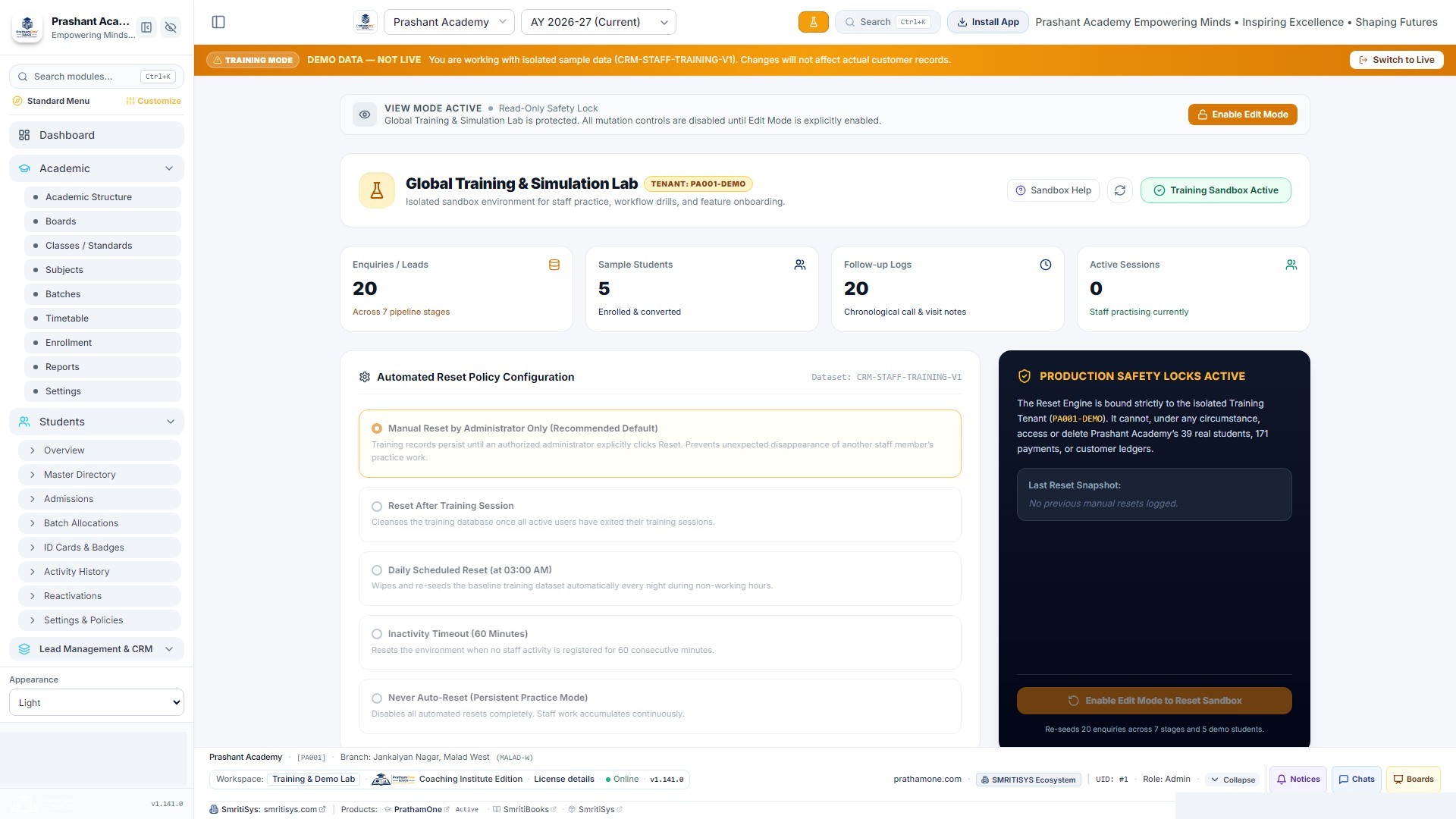
Explore the workflow
How Training can help your institute.
Review the tasks this workspace supports and decide which ones fit your institute's process.
Typical tasks
- Review training status and practice workflows.
- Navigate using designated sample records.
- Review reset controls without running a reset.
Availability & scope
Verify the training tenant and visible TRAINING indicator before practice. Never reset a tenant or switch to production during a showcase.
The page describes a documented capability area; confirm the target edition, deployment, permissions, and integrations before relying on a particular workflow.
Make it relevant to your institute
See this workflow in context.
Bring your roles and questions to a product walkthrough. Use approved synthetic or demo records.