

Institute operations & data
Dashboard
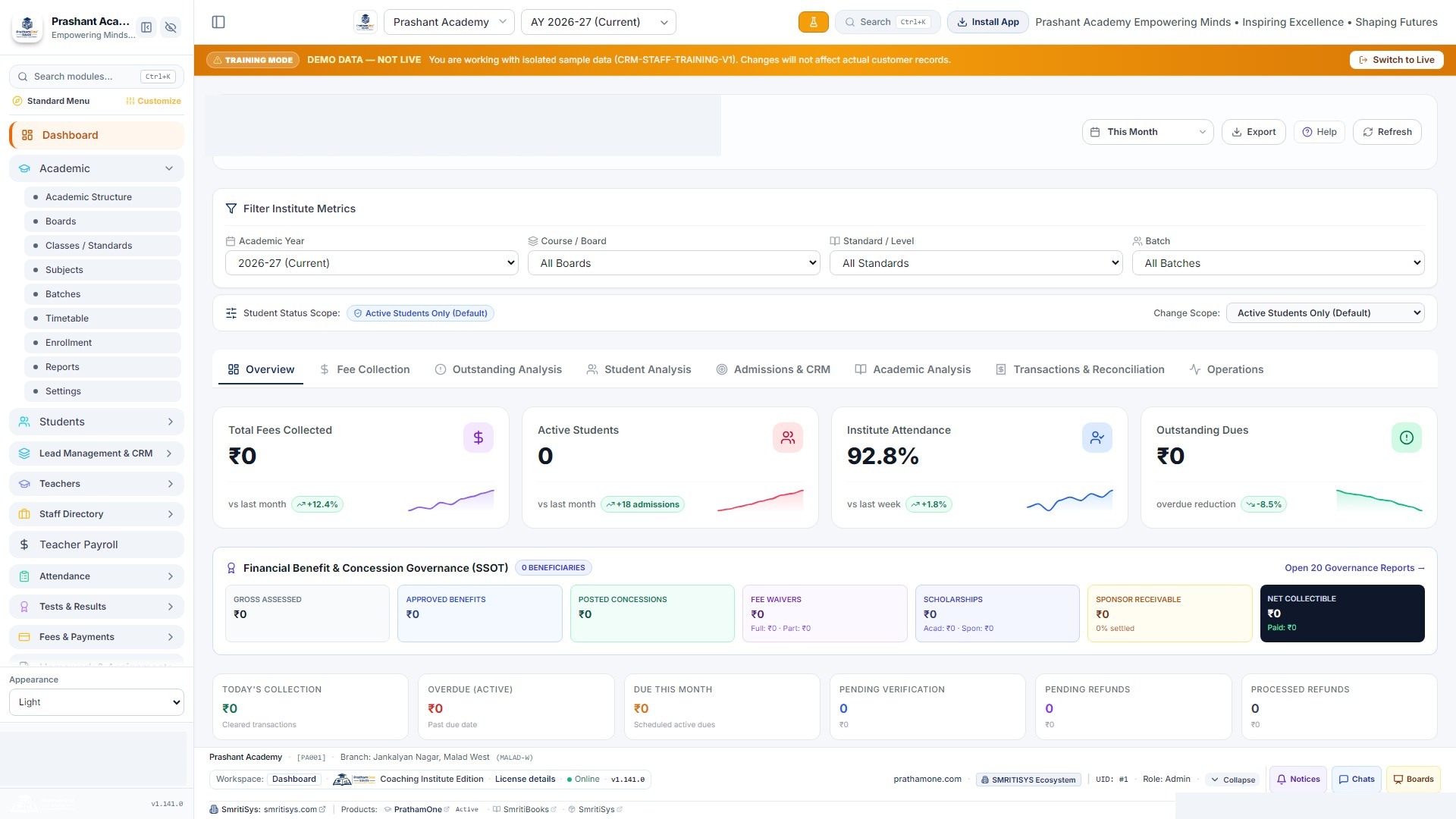
A concise command view of selected institute activity, including academic, attendance, and fee signals.
Owners and administrators can begin a review with a shared operational snapshot instead of assembling every update from separate views.
- Director
- Principal
- Institute administrator
Explore the workflow
How Dashboard can help your institute.
Review the tasks this workspace supports and decide which ones fit your institute's process.
Typical tasks
- Review selected activity and KPI cards.
- Explore recent activity and top-batch context.
- Review fee-status and attendance summaries.
Availability & scope
Dashboard values depend on the selected institute, date range, and available data. Example figures are not promised outcomes.
The page describes a documented capability area; confirm the target edition, deployment, permissions, and integrations before relying on a particular workflow.
Make it relevant to your institute
See this workflow in context.
Bring your roles and questions to a product walkthrough. Use approved synthetic or demo records.